Guide to sharing access for Google, Sklik, Mergado, and Shoptet management
Google Analytics
Please log in at: https://analytics.google.com/In the left sidebar, click Admin via the gear icon
.avif)
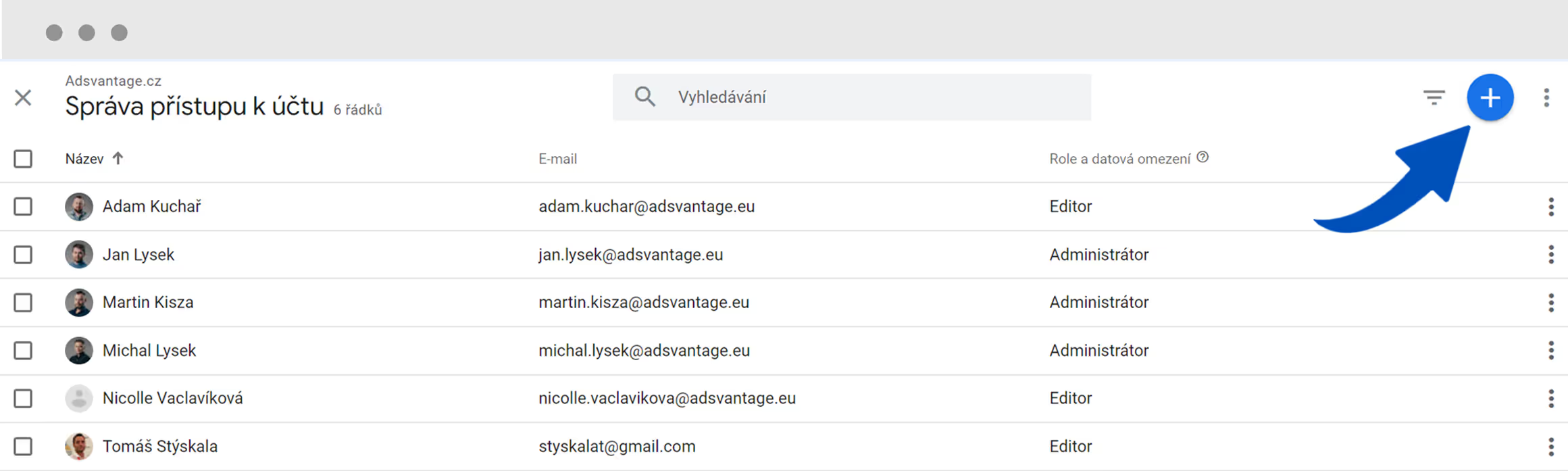
Click on Account access management
.avif)
Click the blue + to add roles
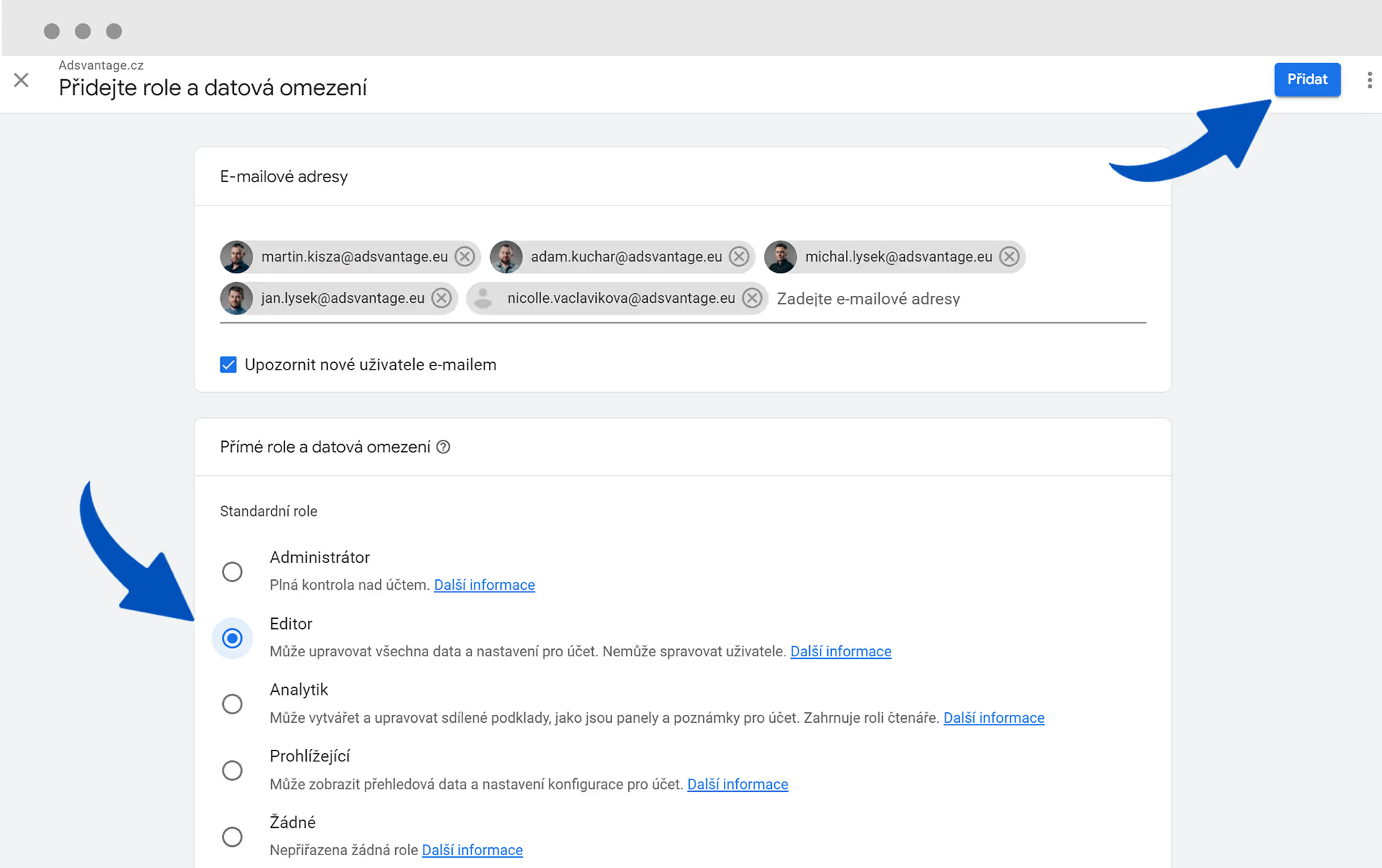
Add other users as well and select the Editor role
- michal.lysek@adsvantage.eu
- martin.kisza@adsvantage.eu
- ppc@adsvantage.eu
- jan.lysek@adsvantage.eu
Google Ads
Log in to Google Ads and send us your 10-digit account ID.
We will send the invitation, and you can confirm it via email.
If you haven't received the email: Google Ads > Tools and settings > Access and security > Managers > Accept
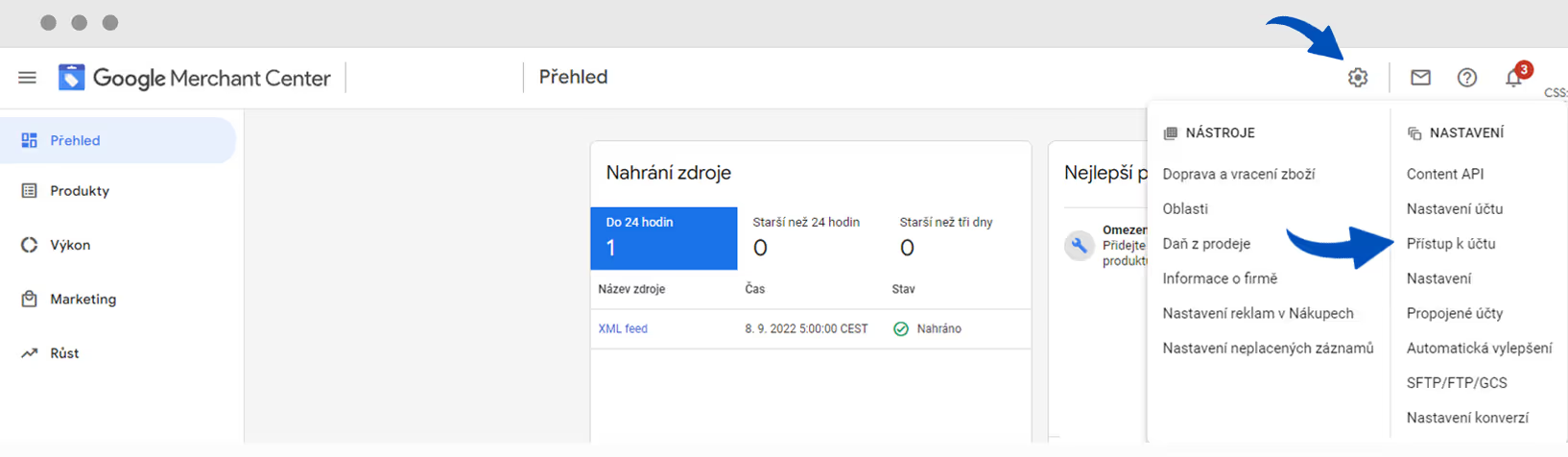
Please log in to https://merchants.google.com/
Click the gear icon to access settings and select Account access.
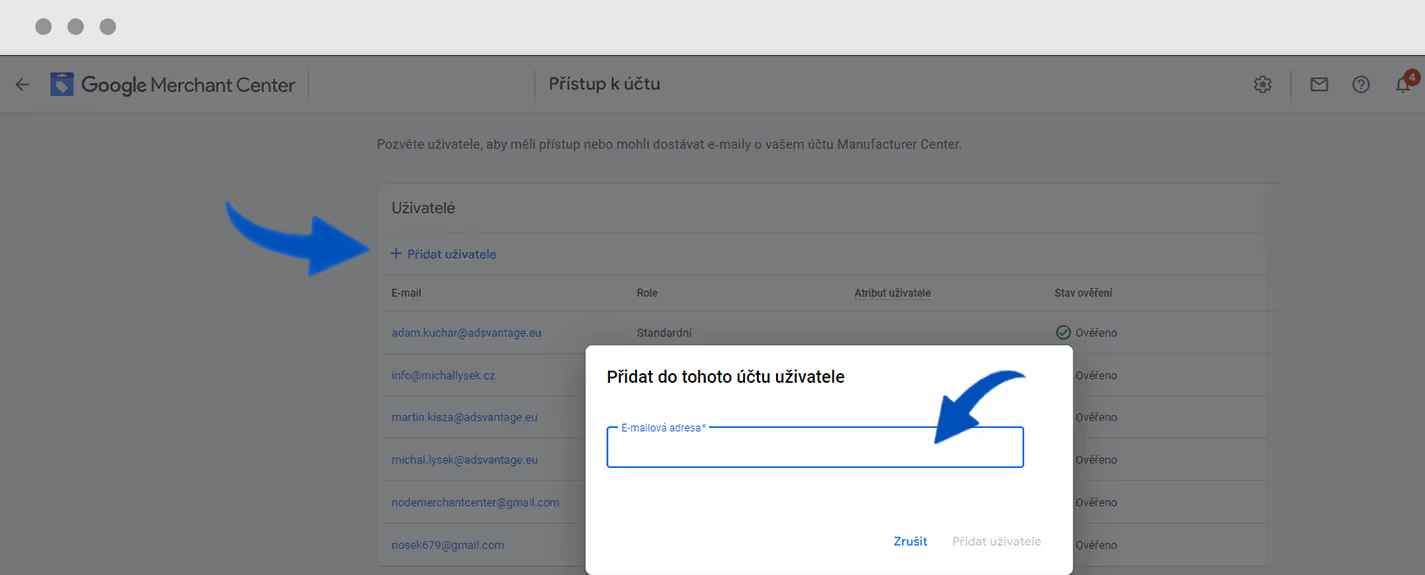
Add user:
- michal.lysek@adsvantage.eu
- martin.kisza@adsvantage.eu
- ppc@adsvantage.eu
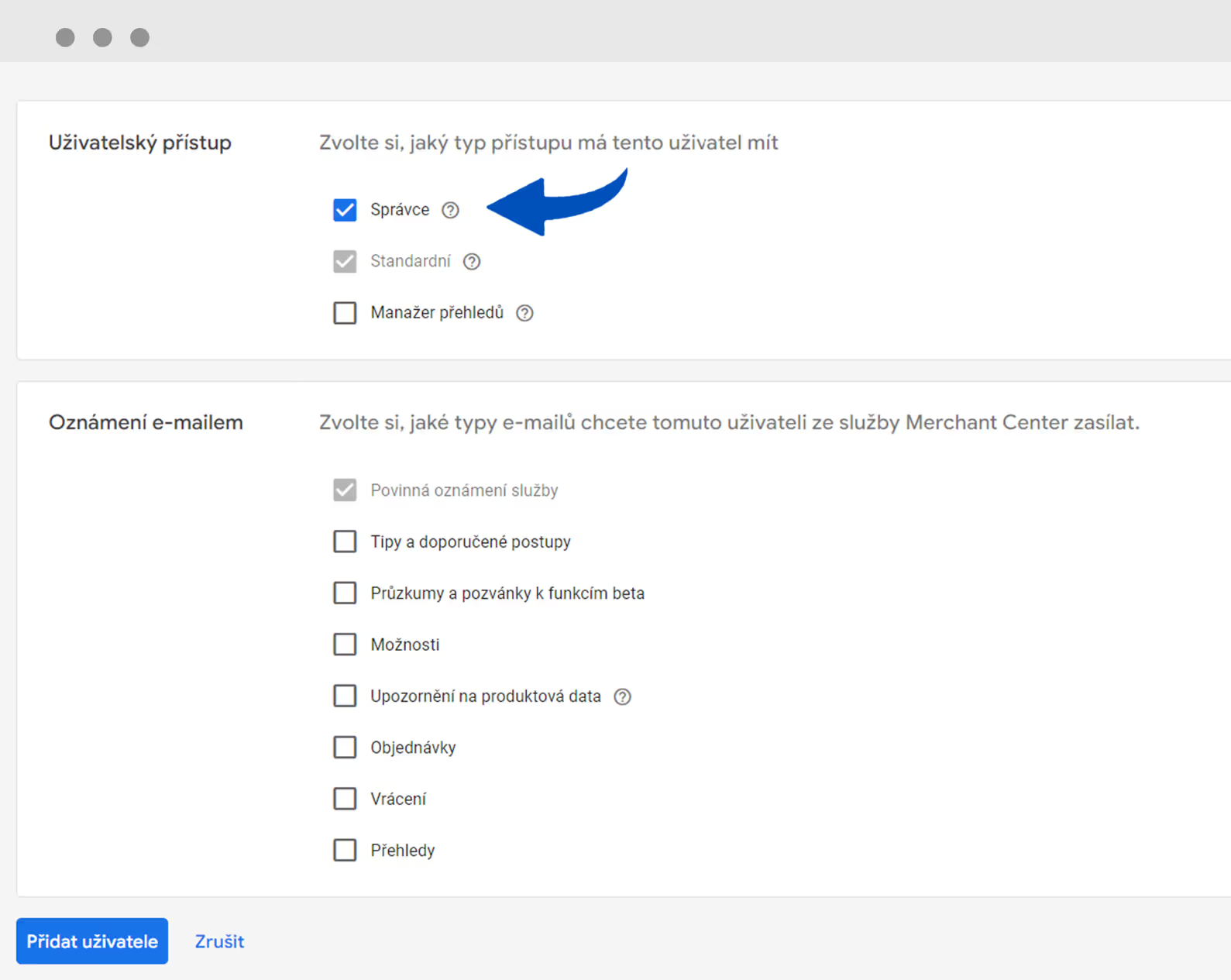
Select the Manager role
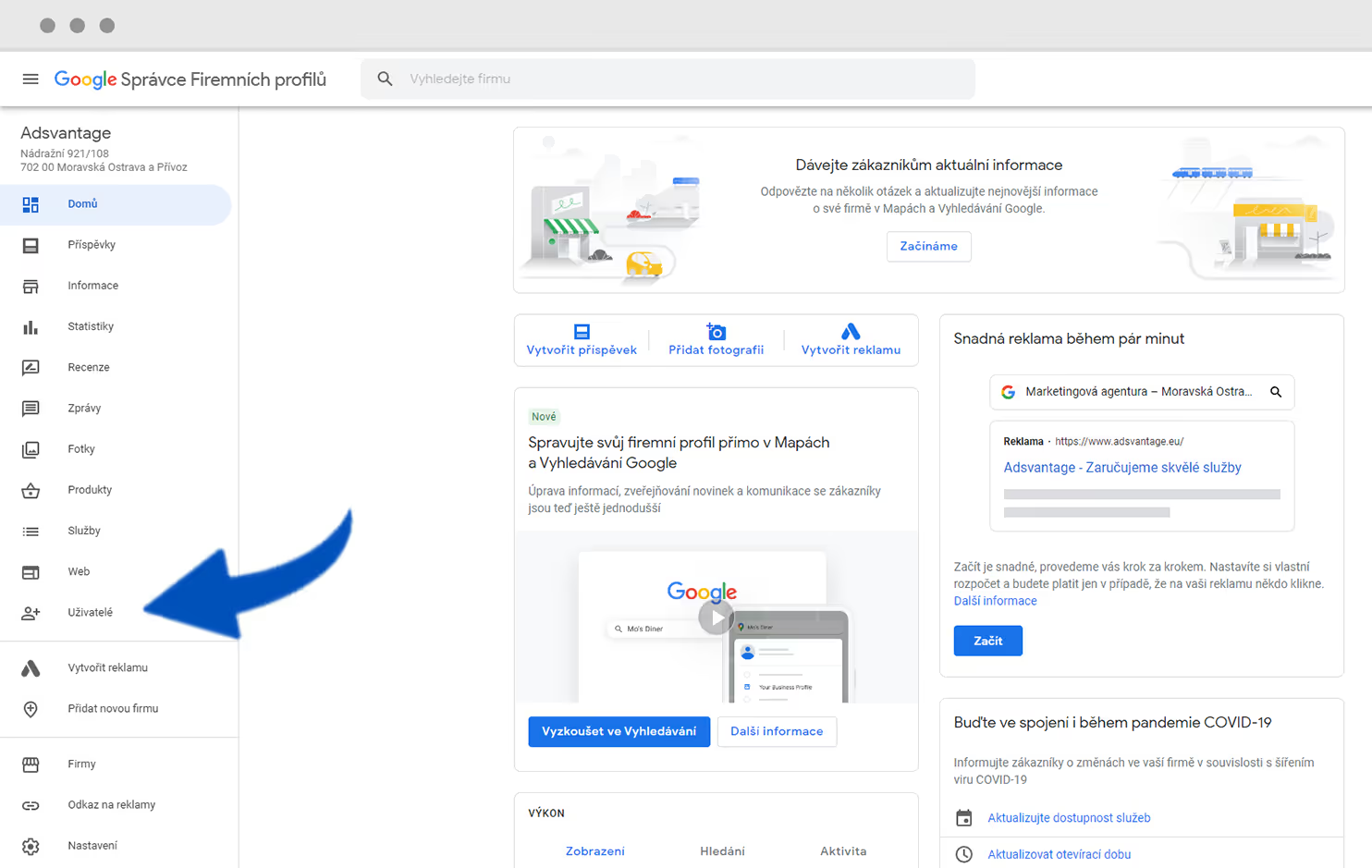
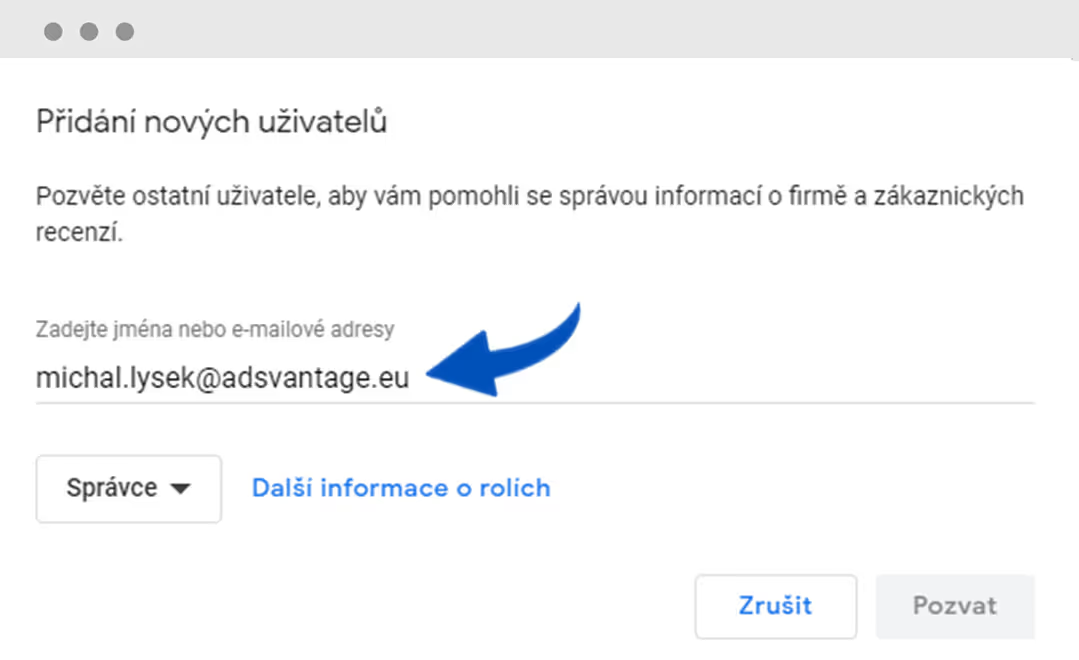
Please log in to https://business.google.com/
Select Users from the left-hand sidebar
Click Add user
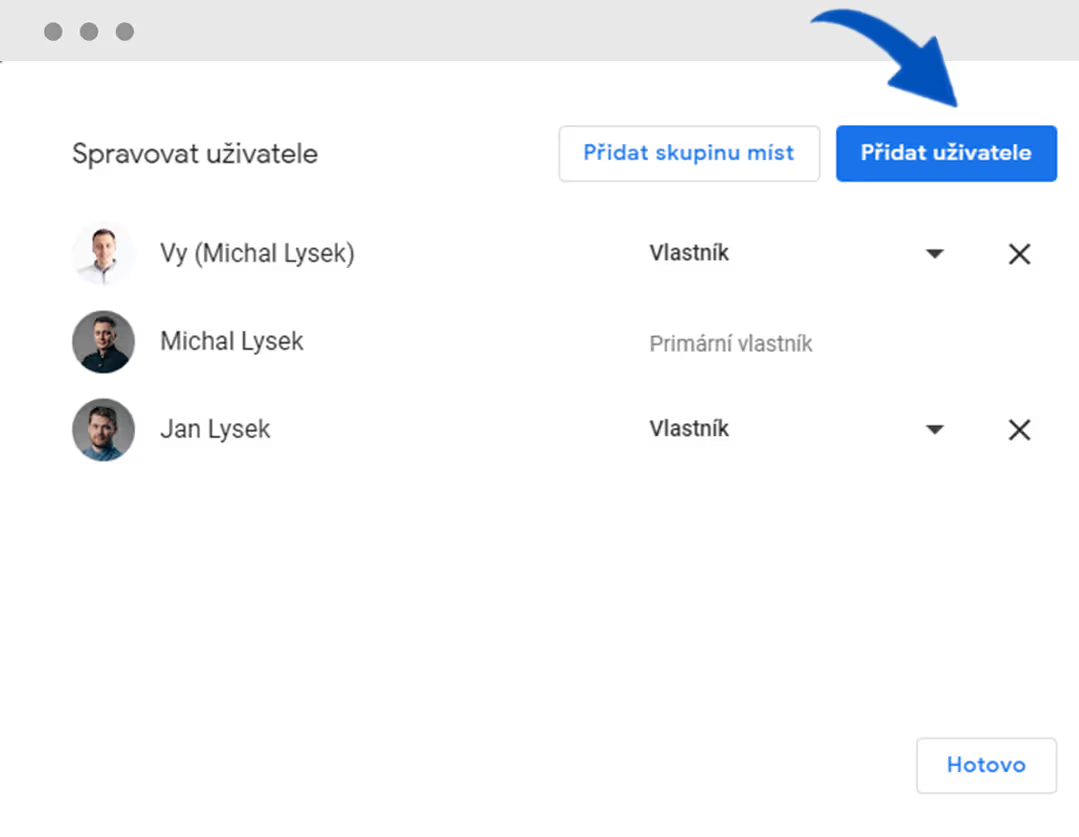
Add user:
- michal.lysek@adsvantage.eu
- ppc@adsvantage.eu
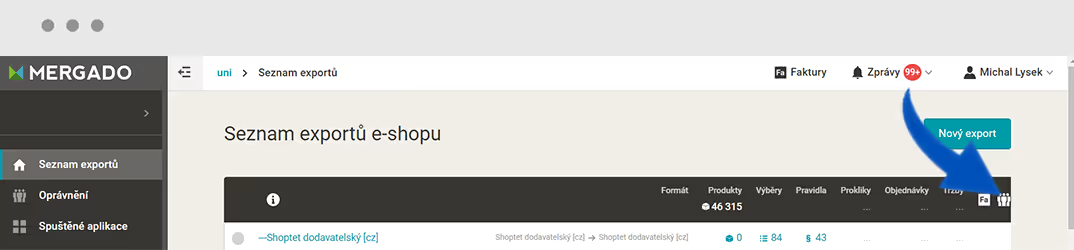
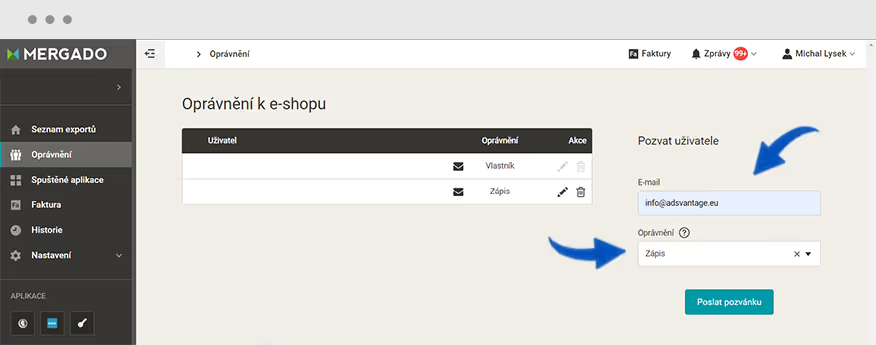
Sklik.cz
Please log in to Sklik.cz
Via your profile, open Settings.
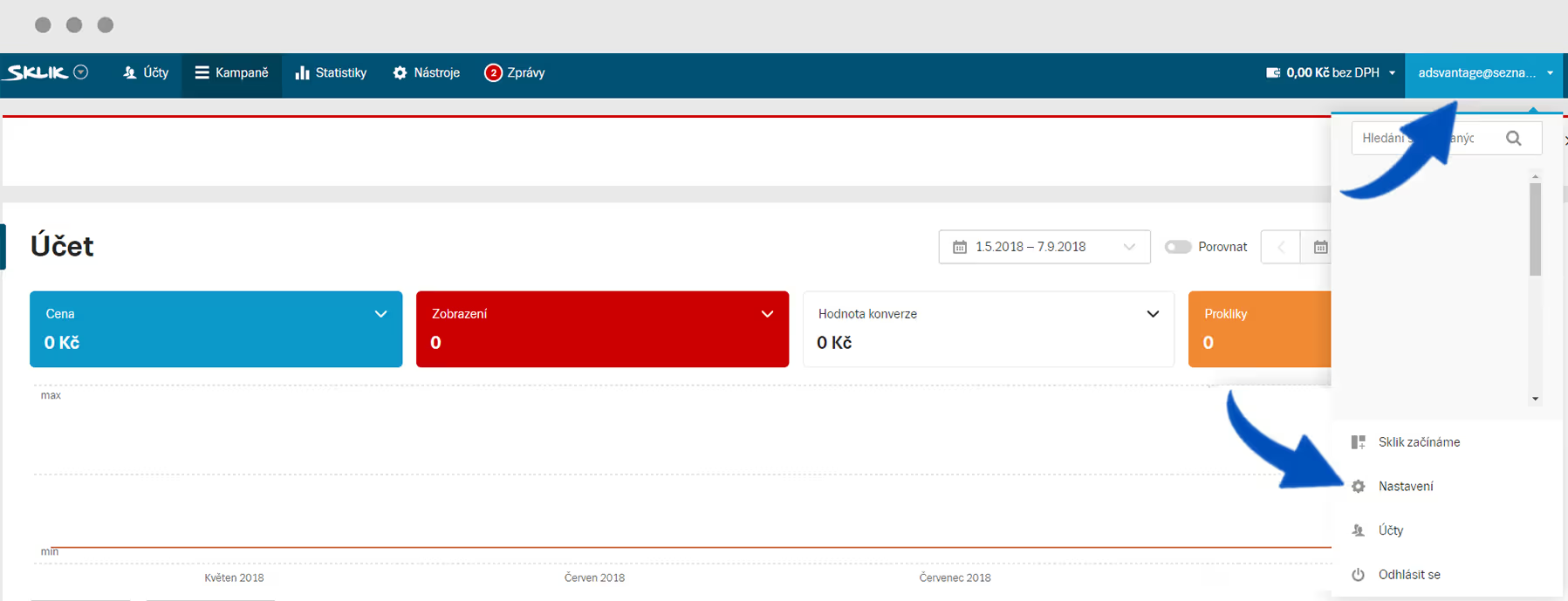
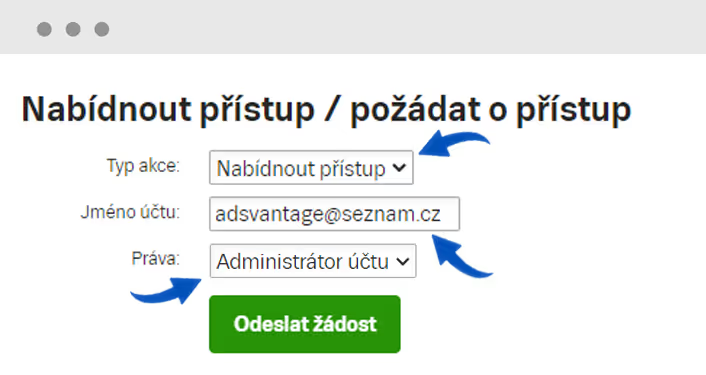
Select the Grant access option.
Enter the account name: adsvantage@seznam.cz
Select permissions: Account Administrator
Zboží.cz
Log in to Zboží.cz
In the left sidebar, select Accounts with access to my account and click Grant access.
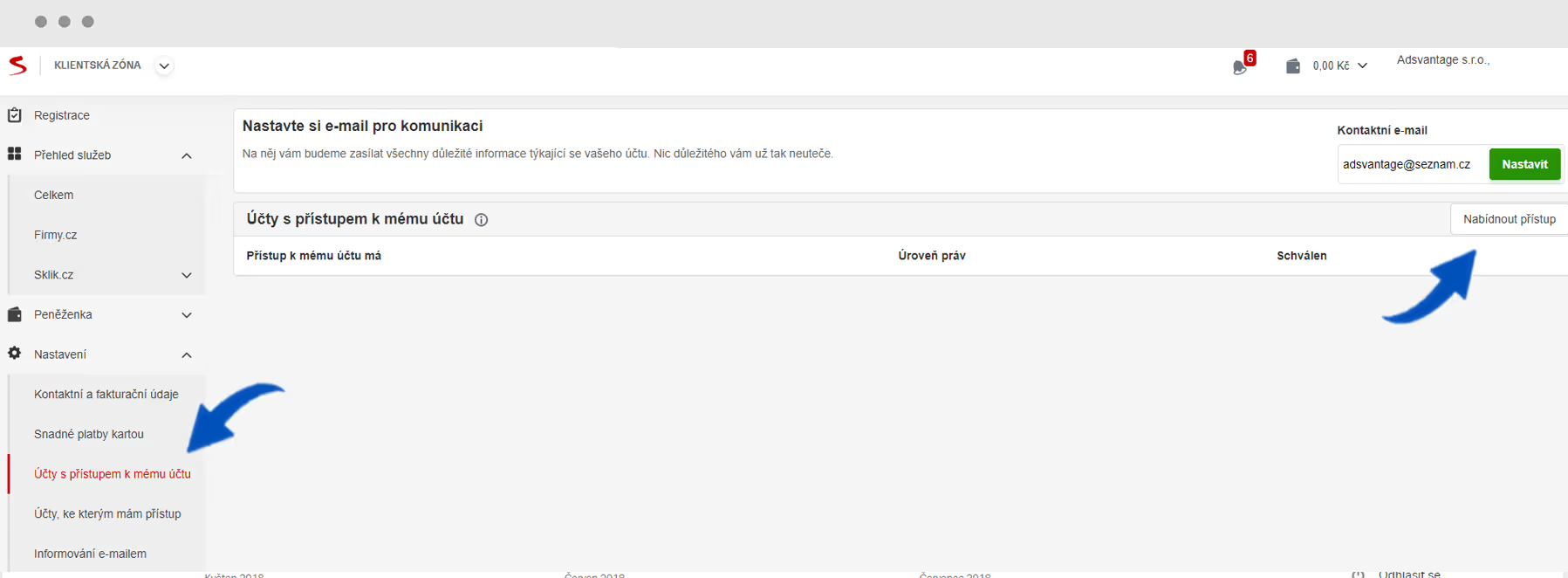
Enter the account: adsvantage@seznam.cz
Select Zboží Manager as the account level.
Firmy.cz
Please log in to https://admin.firmy.cz/
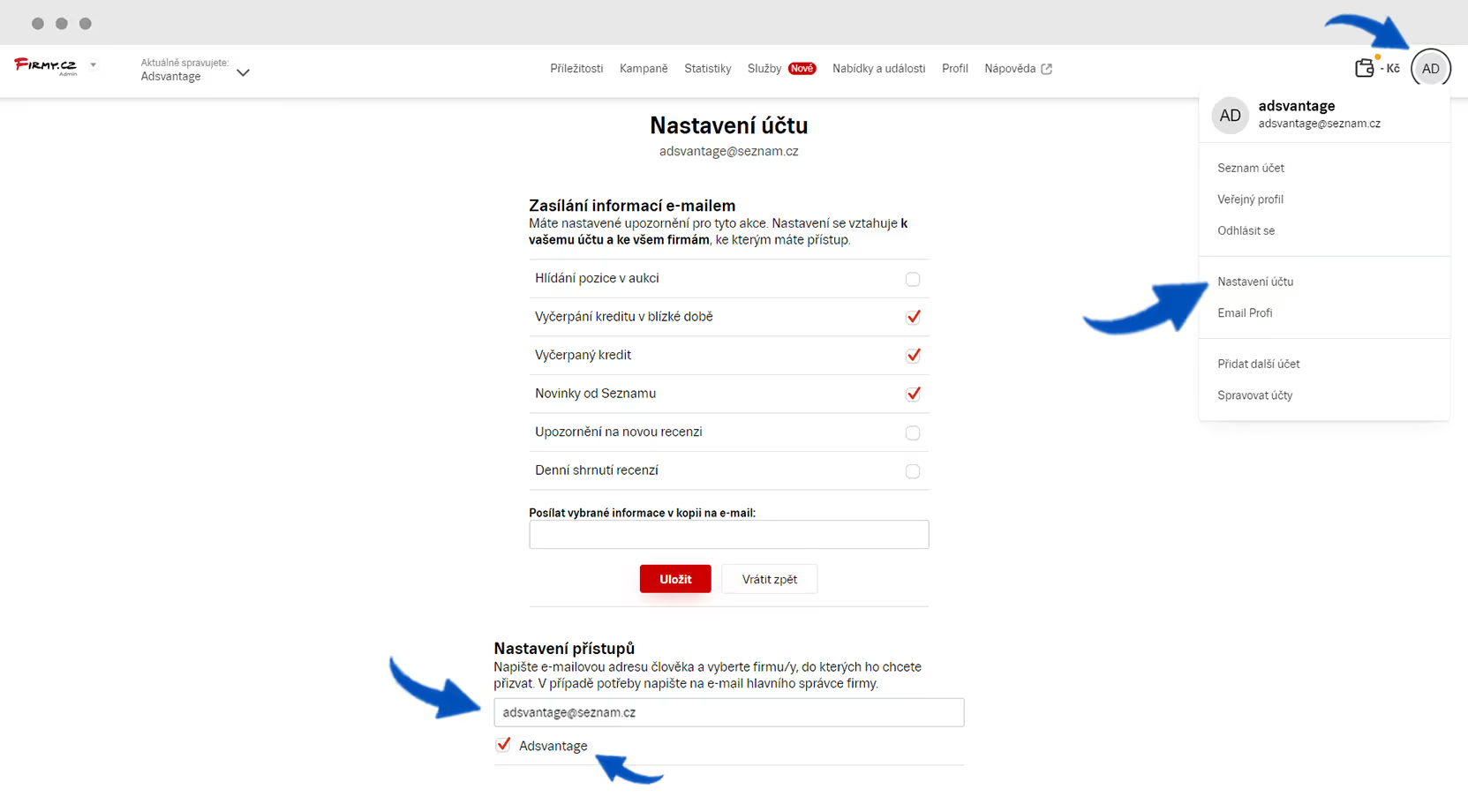
Via your profile, click Account Settings
Enter the account: adsvantage@seznam.cz
Shoptet
Log in to your Shoptet administration.
In the left sidebar, click Settings, Administration, and select Store Administrators.
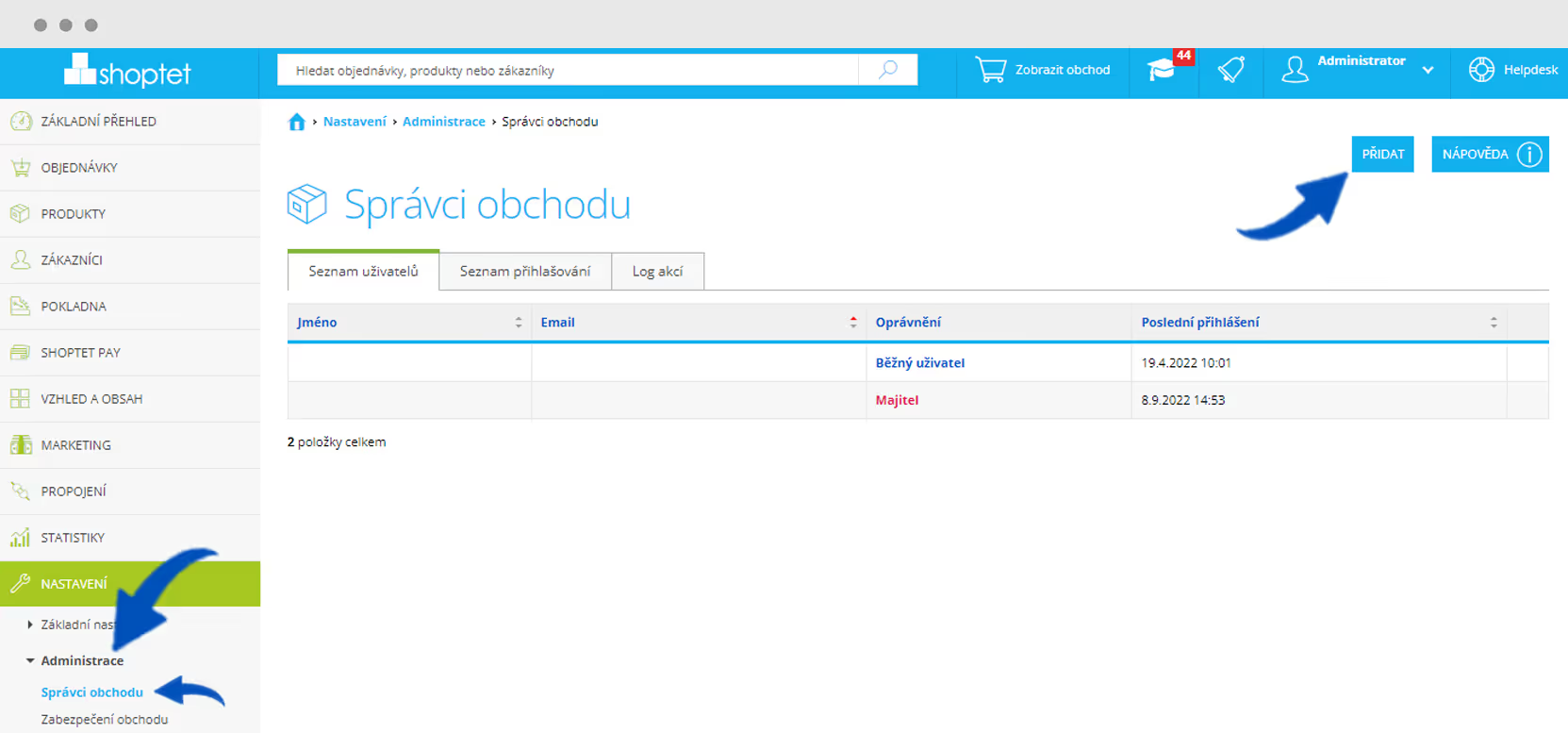
Add user: info@adsvantage.eu
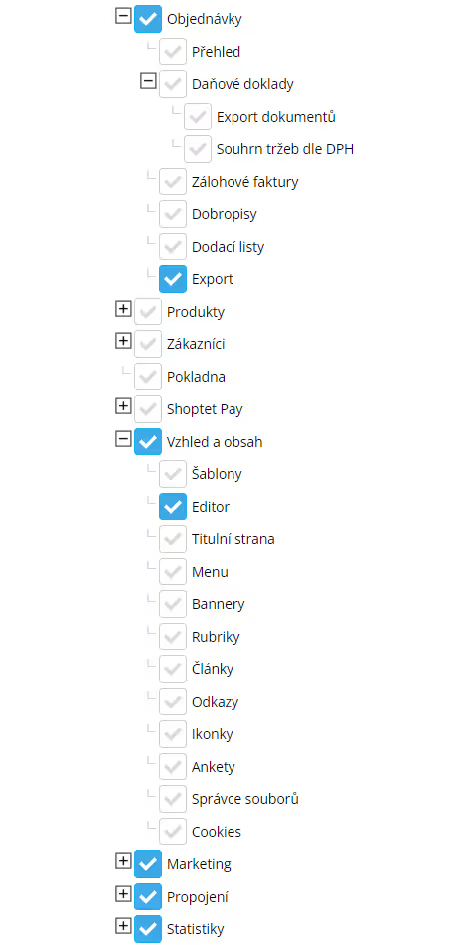
Set up according to the screenshot: