How to share audit access

Now, let's start with the most important access: Google Ads.
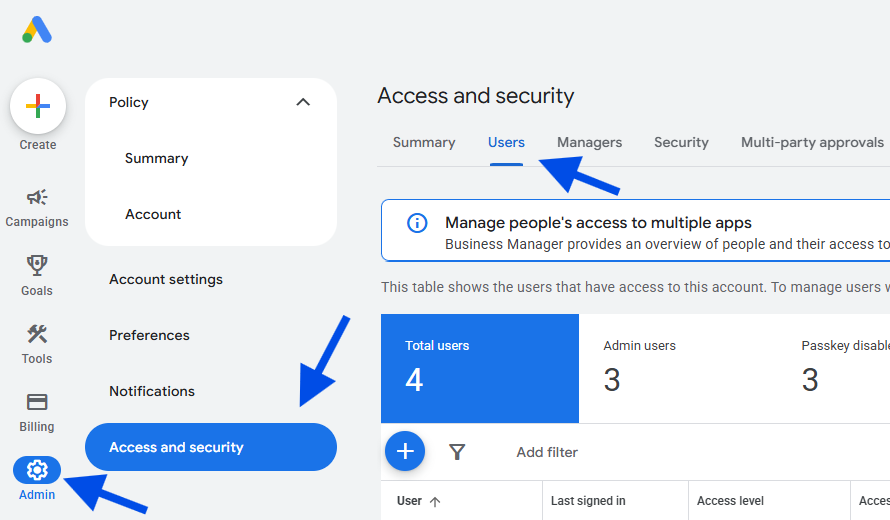
Log in to your Google Ads account.
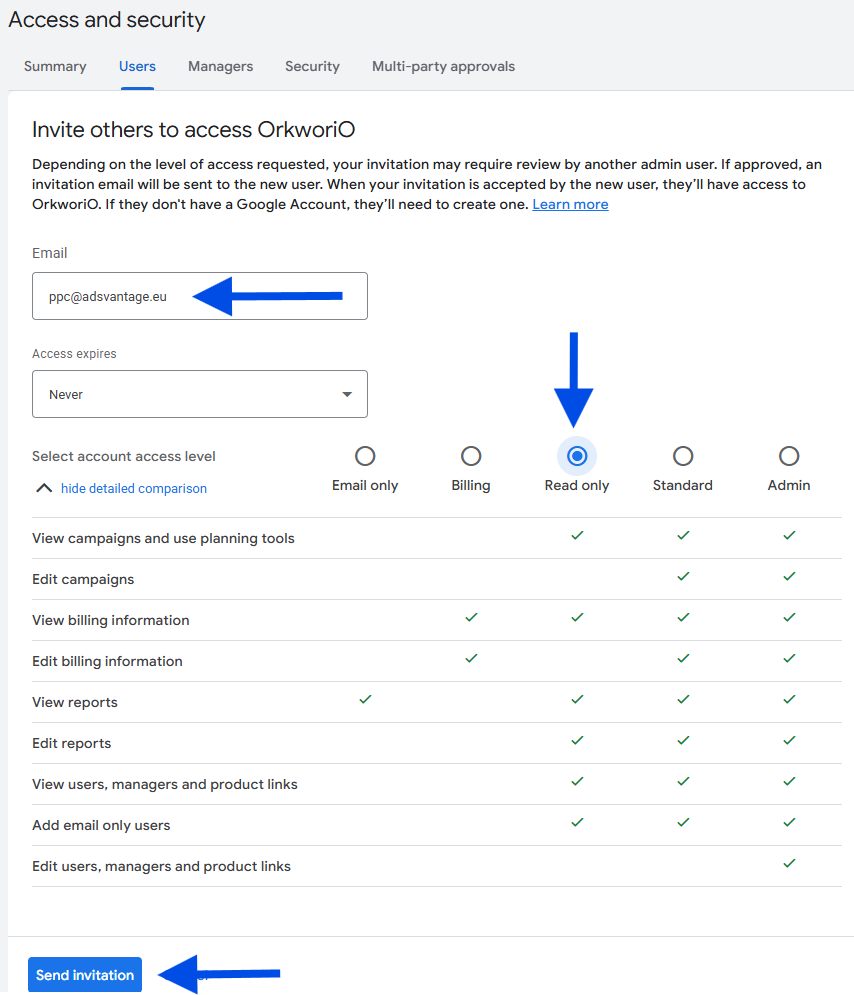
In the left-hand column, click on Admin > Access and security > Users > +
Enter the email: ppc@adsvantage.eu
Access level: Read-only.
Finally: Send invitation
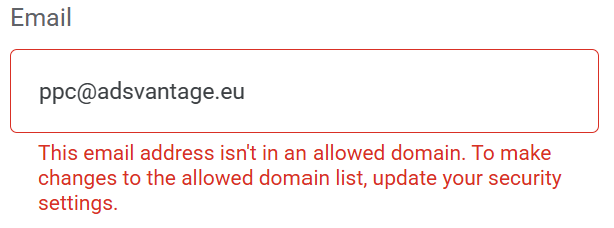
If an error appears:
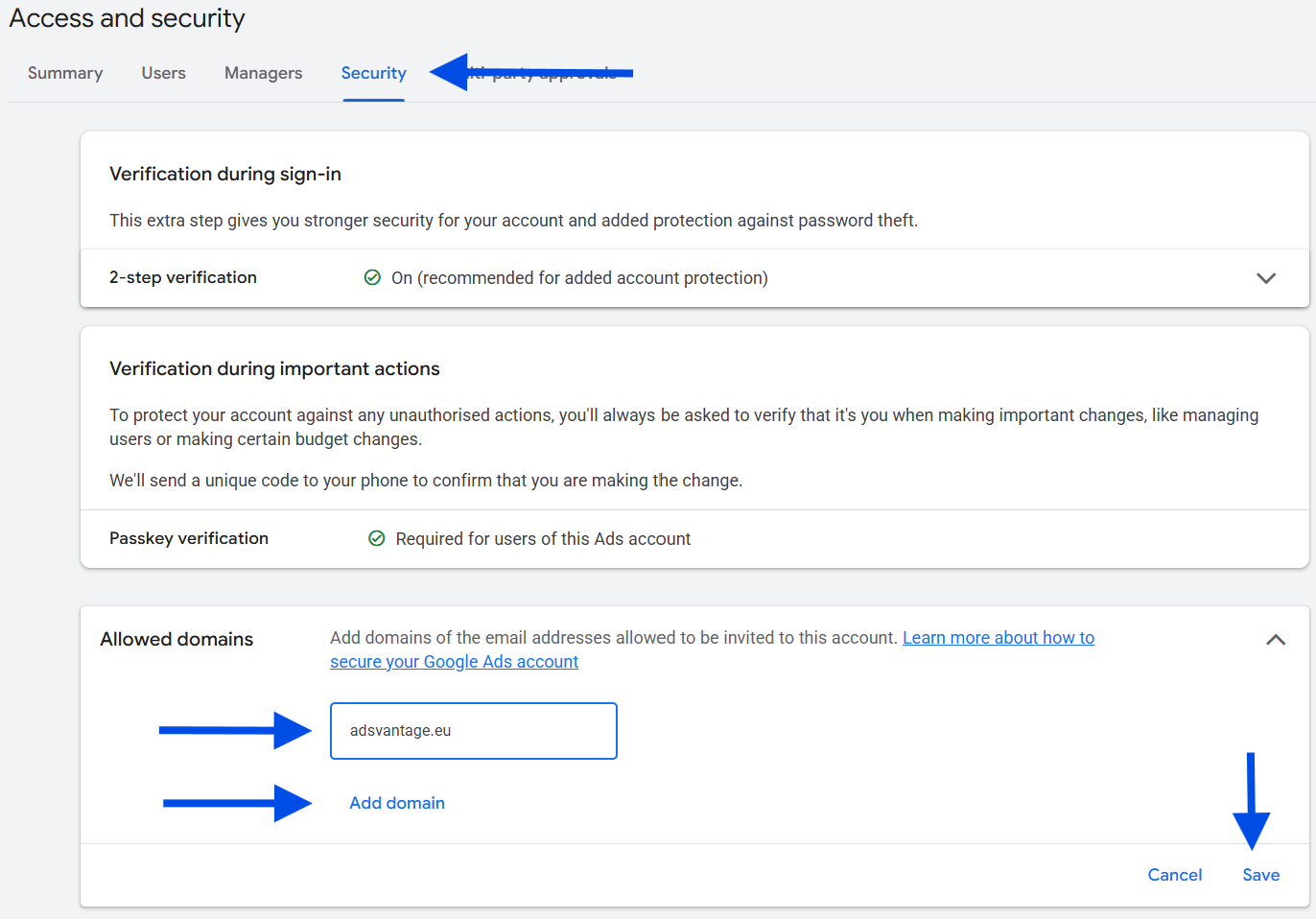
Go to Security > Allowed domains
Enter the domain: adsvantage.eu
Finally: Save

Back to Users:

Enter the email: ppc@adsvantage.eu
Access level: Read-only.
Finally: Send invitation
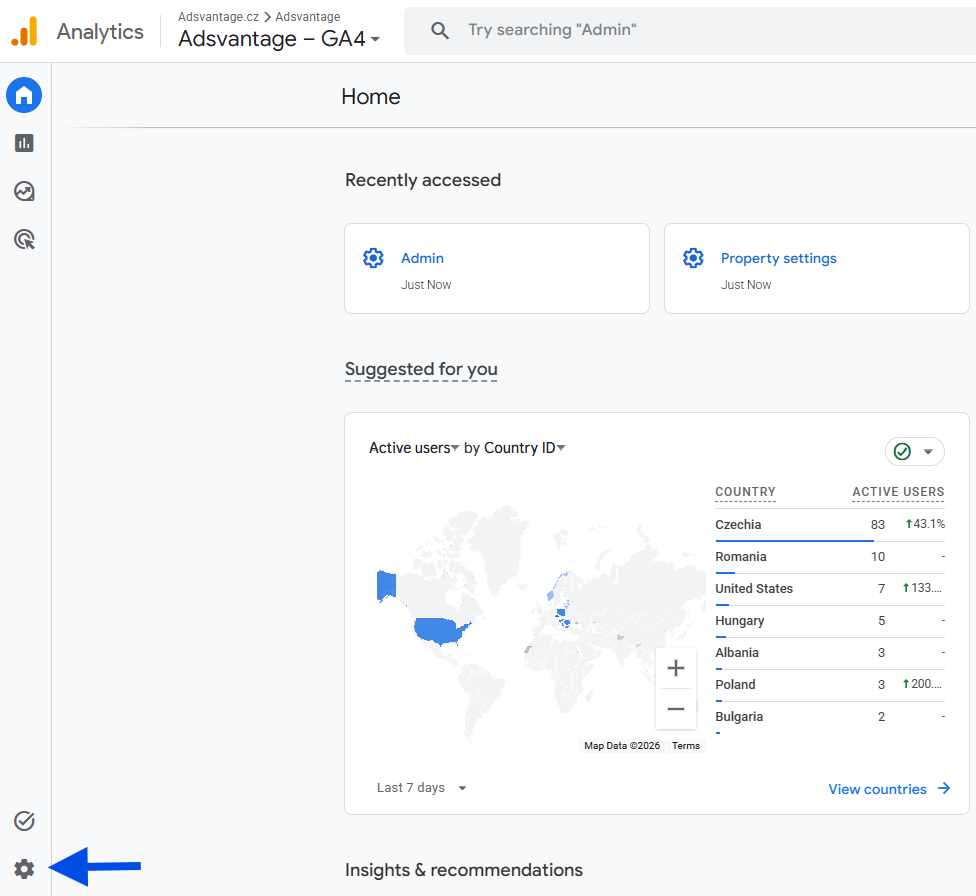
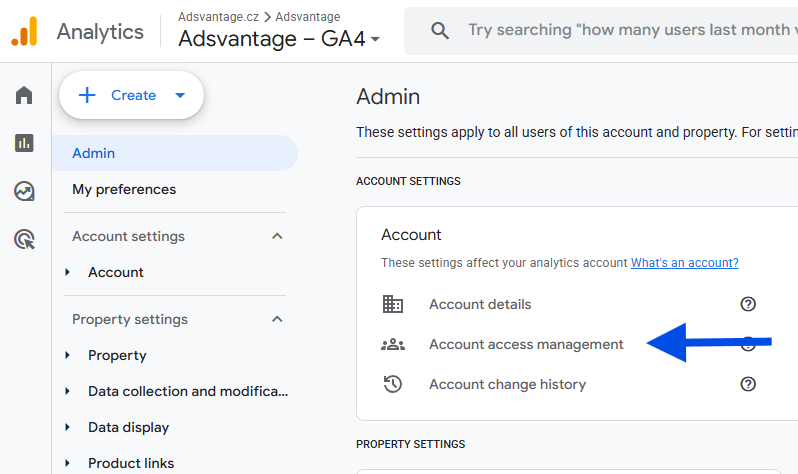
Log in to Google Analytics.
In the bottom left, click on Admin via the gear icon:

‍

Select Account access management:
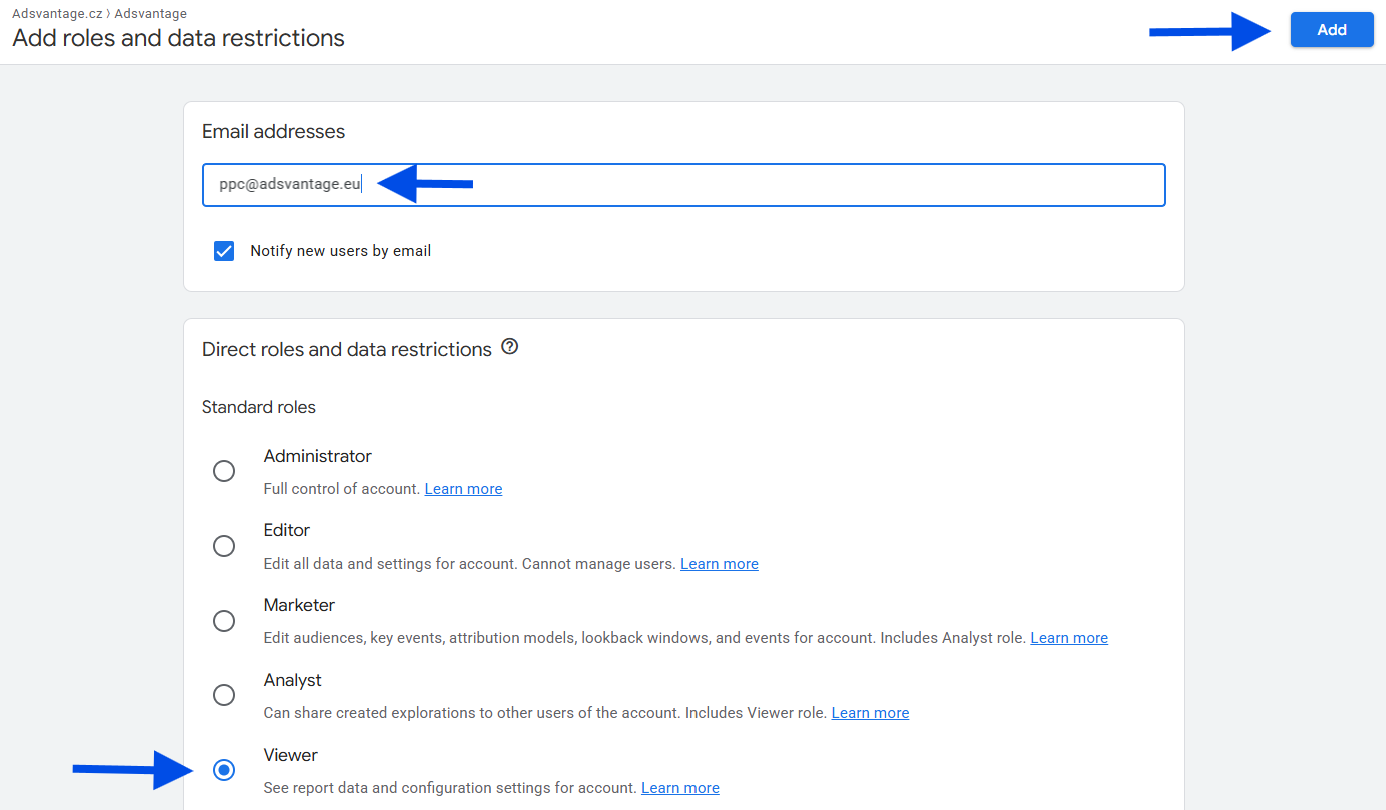
Click the blue +
Enter email: ppc@adsvantage.eu
Role: Viewer
Click Add in the top right

‍

‍

Last updated:

28.9.2026

Author:

Latest articles

View all

Business Strategy Guide: How to Build a Long-Term Competitive Advantage

Looking for a way to dominate the market? Read our comprehensive strategy guide. From setting goals and segmentation to management systems. Build a business, not a coincidence.
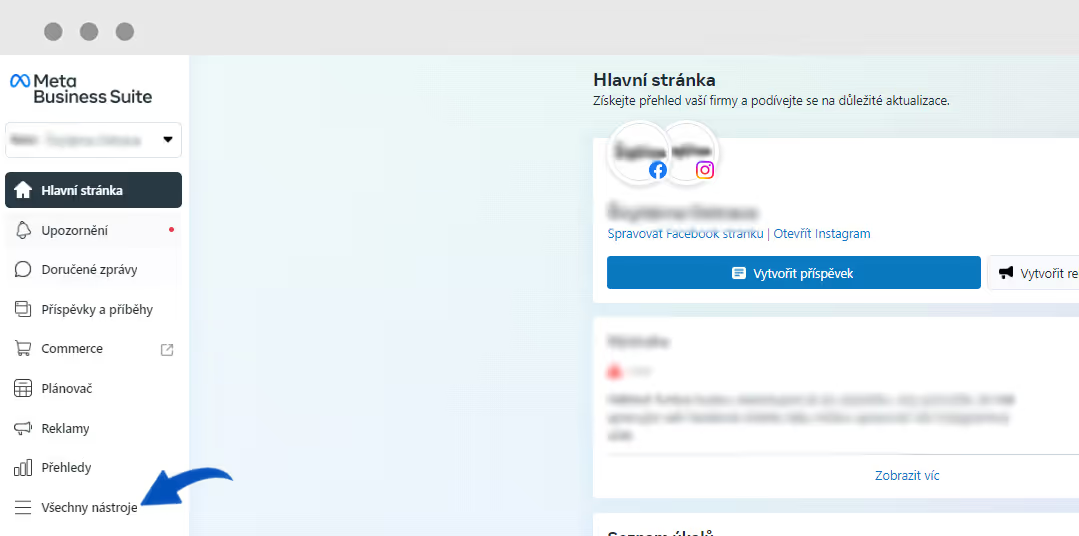
How to grant access to Business Manager

Facebook Business Manager is essential when you want to start running Facebook ads, and here we will show you how to set it up.

Podcast: PPC advertising as the key to rapid business growth

An interview about performance advertising and current trends.

Subscribe to our newsletter
and stay one step ahead

Practical performance marketing insights, case studies and Google Ads news – straight to your inbox

Thank you, you're almost there!

  Please check your inbox and confirm your subscription so you don't miss any insights.

Oops, something went wrong. Please try again.
By clicking “Accept”, you agree to the storing of cookies on your device to enhance site navigation, analyze site usage, and assist in our marketing efforts.